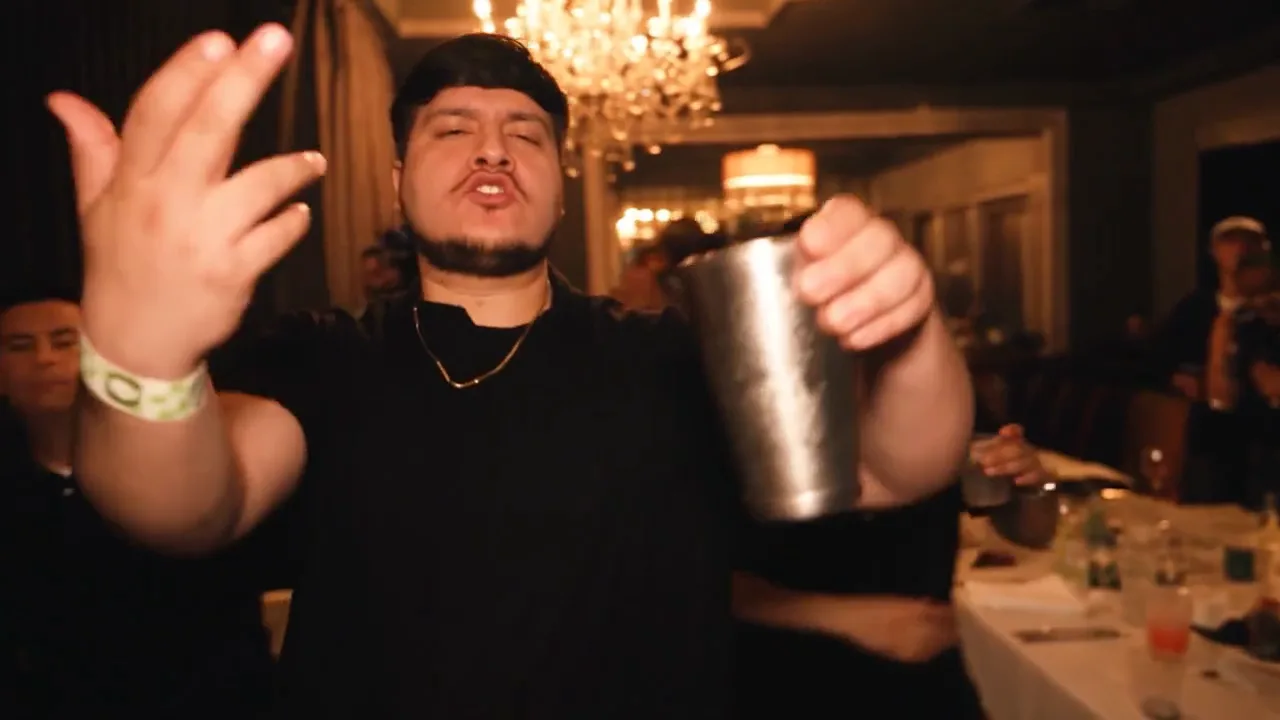
Right up to the lens
An open hand and a silver cup fill the foreground, with the chandelier glowing overhead.
Your photo. The lead role.
Explore the Burning Bridges AI effect and make the lead your own.
Your lead photo
01 / THE LEADOne clear photo. One lead.
One person. Face clear. Upper body visible.
JPG, PNG or WebP · up to 10 MB
Your generation
15 seconds · 480p · original audio · MP4
Use a photo you have permission to transform. No prompt or model selection needed.
Sign in when you’re ready to create.
The 15-second reference
Watch the original with sound. This reference shows the trend; your generation uses the specifications shown beside your photo.
Burning Bridges AI starts with a familiar music video moment and one unexpected lead: you. Explore the original MV reference, see the close camera, crowded room, and signature gestures, then choose the portrait you want at the center of a short video. Your face, hair, and outfit give the idea its personal twist.
Three frames from the 15-second MV reference. The room, the gestures and the people around the performer.
An open hand and a silver cup fill the foreground, with the chandelier glowing overhead.
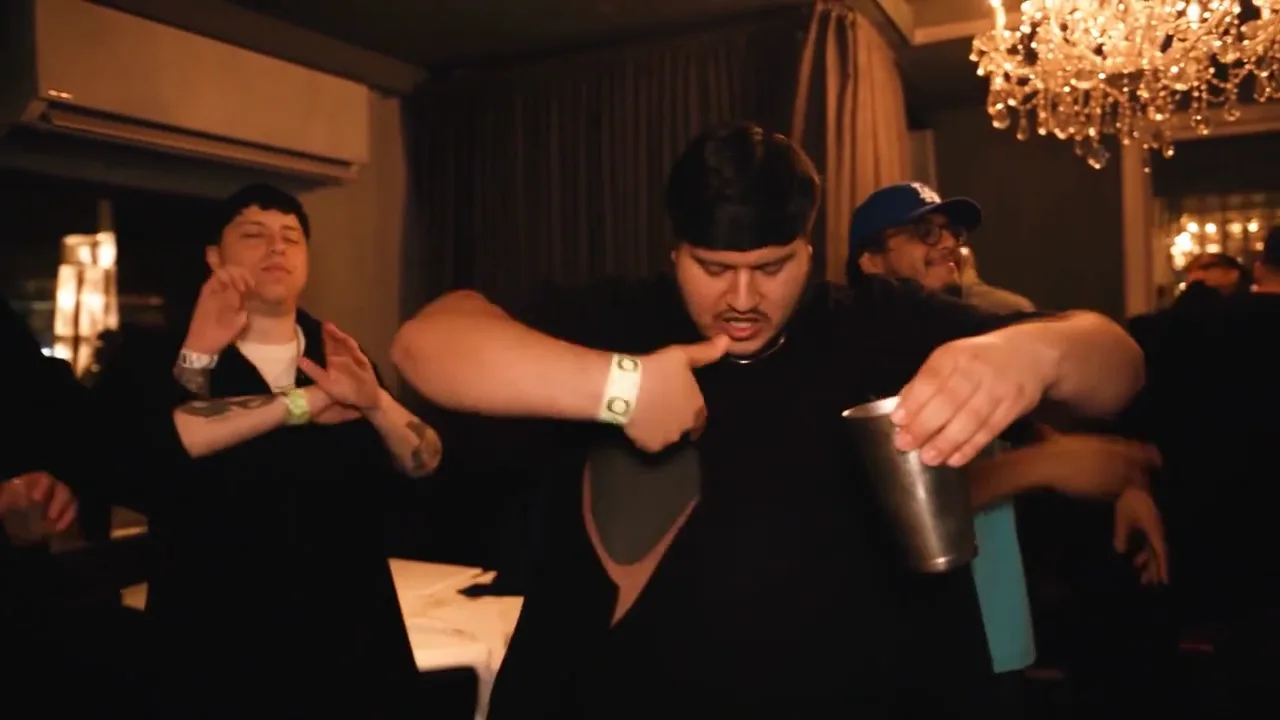
The performer leans forward and points toward his chest, holding the cup as the people behind him react.
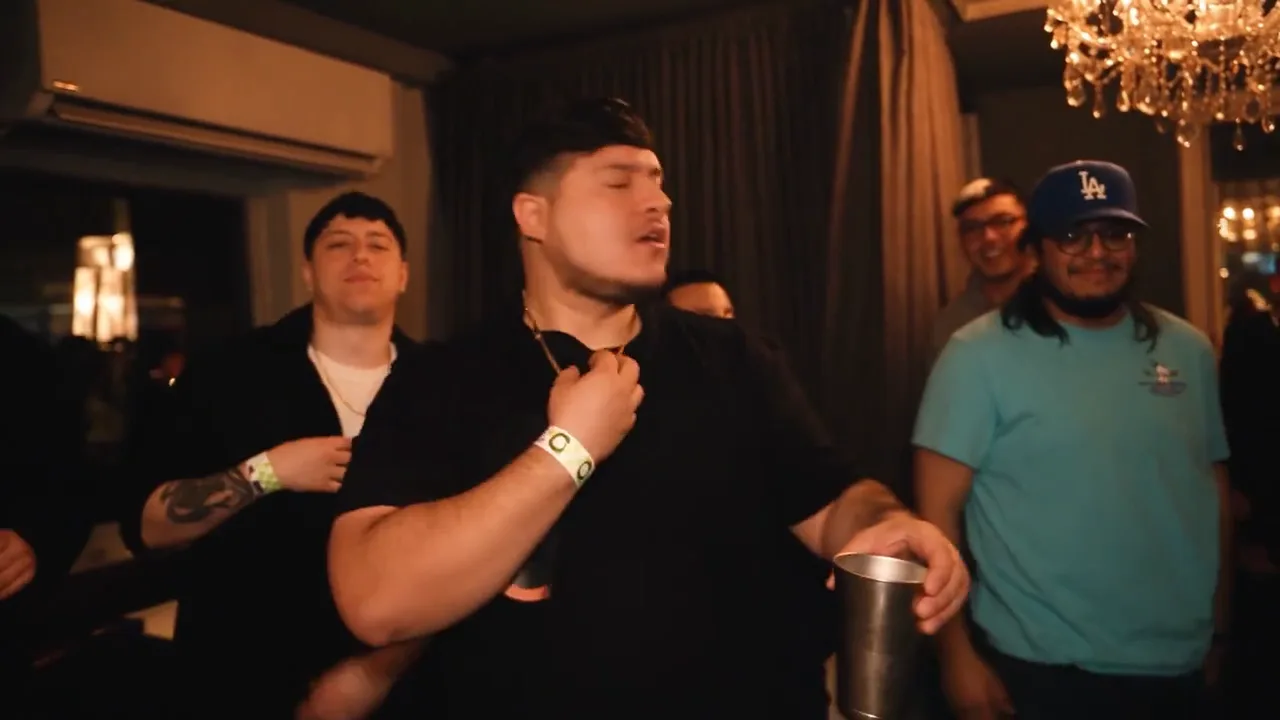
The performer turns with one hand at his collar and the cup at waist level, while the people around him remain in view.
A familiar performance. A different lead.
Burning Bridges AI is the character replacement idea people recognize from the rap performance: a different face takes the central role in a familiar scene. The appeal comes from the room, the people around the lead, the moving camera, and the gestures that make the moment recognizable. Seeing your own appearance in that context is what gives the edit its punch.
The Burning Bridges AI reference moves between a wider view of the room and a closer view of the performer. A cup, a passing hand, and people stepping into the frame give the scene its texture. It feels like a moment already in motion, with the lead drawing your attention as the camera follows the action. This is the visual language behind the Burning Bridges AI effect.
Use the 15-second MV reference on this page to understand the Burning Bridges AI idea. It is labeled as reference footage and carries its original audio. Your portrait replaces the lead in the fixed scene, creating a 15-second, 480p MP4 with that same audio. Generated details may vary, so watch the whole clip to judge the face, movement, and surrounding scene together.
The room
The Burning Bridges AI reference puts the performer in a crowded room with a moving camera. The tight framing brings expressions and hand movements close to the viewer. Watch the Burning Bridges AI reference to see how the setting shapes the idea.
Your look
The strongest Burning Bridges AI idea starts with a person your audience knows. A familiar haircut, glasses, or favorite jacket gives friends something to recognize immediately. Choose a sharp Burning Bridges AI portrait with your face and upper body visible.
The gestures
Burning Bridges AI gets its character from small, confident movements: bringing the cup into view, gesturing toward the camera, and passing a hand across the face. The Burning Bridges AI reference shows why these moments attract attention. The Burning Bridges AI camera comes close enough for the expression to matter, while the surrounding crowd keeps the scene lively. Together, those details give a personal Burning Bridges AI edit an instantly familiar context.
Your face in the frame
You
A Burning Bridges AI edit works as a personal joke because the audience already knows the lead. Pick the portrait your friends associate with you, then let the unexpected performance do the work. A short caption can connect it to an inside joke or a familiar line in your group chat. The recognizable face is the starting point for Burning Bridges AI.
With friends
Make a Burning Bridges AI video with a friend who wants to take the lead. Choose the photo together and use an outfit that fits their personality. Your Burning Bridges AI idea can be as simple as the quiet friend becoming the center of the room. Let them see the finished clip before sharing it, and keep the caption in the same playful spirit.
Your style
Burning Bridges AI gives a familiar portrait a new context. Try the look you actually wear: a bright jacket, a clean shirt, or your usual cap. Color can make your Burning Bridges AI lead stand out. Keep the face visible so the outfit supports recognition instead of becoming the only thing viewers notice.
Choose a photo. Take the lead.
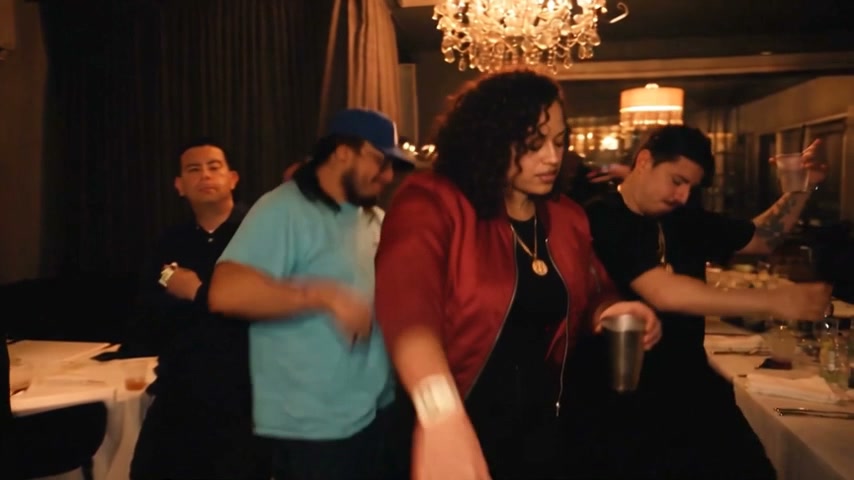
Watch the Burning Bridges AI original MV reference and notice the lead, the room, and the camera movement. Turn on sound to hear the reference soundtrack. The reference player shows the fixed 15-second scene; the generator beside it displays the 480p output format you can create from your photo.
Upload one portrait for Burning Bridges AI. Choose a clear face, include the upper body, and use the appearance you want your audience to recognize. JPEG, PNG, and WebP photos are accepted. A readable everyday portrait is a better starting point than a distant subject or a heavily filtered selfie.
Sign in and follow the Burning Bridges AI creation flow. Read the video details and the amount shown before submitting. Your Burning Bridges AI portrait goes into the fixed short template, so you do not need to write a long scene prompt, record your own routine, or choose between a list of video models.
Open your completed Burning Bridges AI clip in your private history and download the MP4 you want to keep. The 15-second, 480p file includes the reference’s original audio. Listen to the whole clip before sharing. You can add captions or adjust your edit in your preferred publishing app.
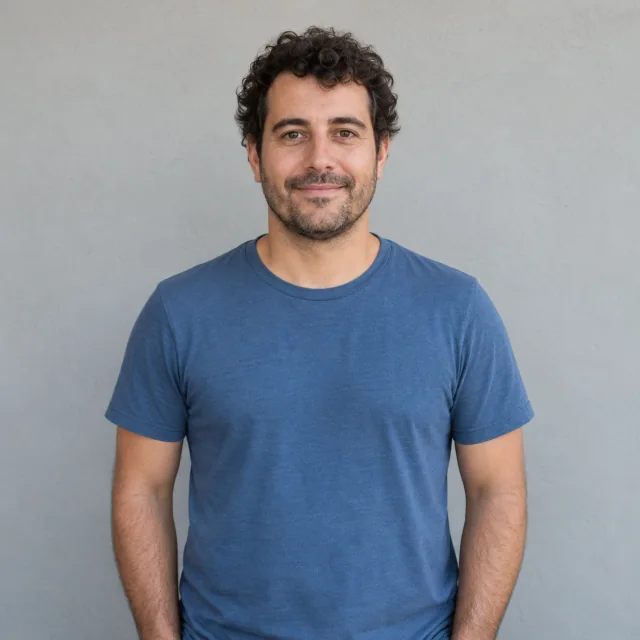 Face in focus
For Burning Bridges AI, start with one clear adult portrait taken in even light. A phone photo is enough when the eyes, nose, and mouth are easy to see. Include some space around your head and shoulders, and keep the image sharp enough that a friend could recognize you at a glance.
Room around the headChoose the look you want to bring to Burning Bridges AI. An everyday hoodie makes the contrast feel casual; a smart jacket gives the same idea a different personality. Include the clothing that matters inside the crop. Generated details can vary, so a strong overall silhouette is more useful than relying on a tiny logo or a complicated necklace to carry the whole joke.
A single subjectBurning Bridges AI uses one lead photo in this workflow. If your favorite picture includes friends, crop it around the intended person while keeping the head and upper body intact. Sunglasses, strong beauty filters, and hands covering the face can hide useful appearance information. Pick a simpler photo when the subject is difficult to identify.
Photo guide illustration · fictional adult
A memorable Burning Bridges AI clip needs a lead your audience can identify without an explanation. Watch at normal speed and focus on the overall resemblance, expression, and outfit. Choose the version that carries your idea naturally, rather than treating a single still frame as the whole experience.
If your Burning Bridges AI portrait hides important features, a different photo can make the intended appearance easier to describe. For Burning Bridges AI, use a simple crop and consistent lighting. Generated faces and small details may change during movement; the most useful question is whether the person and the idea remain recognizable while the clip plays.
Your 15-second, 480p Burning Bridges AI download follows the fixed reference frame. That gives the lead and the surrounding scene room to breathe. For a vertical post, place the full clip on a taller canvas or crop with care around the person. Keep captions away from the face and hands, where viewers look for the expression and the central gesture.
Bring Burning Bridges AI into your own edit with a short opening caption or the line that started the joke. Keep the setup brief. Your downloaded clip includes the original reference audio; listen through the beginning and ending before sharing. If you change the soundtrack in your publishing app, choose audio available for your intended use.
The source and the conversation
Start with the original, then follow the community’s creative questions and interpretations.
The original music video
See the music video that gave the trend its name. The performance, close-up gestures and crowded room provide the context for the photo-to-video idea.
YouTube · Drake official artist channel
Watch the original — opens in a new tabThe creative question
A community discussion about recreating the Burning Bridges AI video trend while keeping a person recognizable and the scene connected.
Reddit · r/OpenAI
Read the discussion — opens in a new tabA community variation
A separate community thread discussing an AI variation of the scene. Explore how people interpret the idea beyond the original performance.
Reddit · r/Drizzy
Explore the thread — opens in a new tabThese are independent trend references and community discussions, not customer testimonials or endorsements of this site. Our generated examples and video packs are presented separately.
Yes. Burning Bridges AI uses one shared wallet. A 15-second MV with original audio costs 1,000 credits. In Burning Bridges AI Studio, a custom 5-second, 480p Seedance 2.5 video costs 300 credits and a 1K GPT Image 2.5 image costs 15 credits. Starter is $9.90 for 1,000 credits: 1 MV OR 3 custom videos OR 66 images. Burning Bridges AI monthly is $29.90 for 3,500 credits; annual is $299 for 42,000 credits upfront. Both renew automatically unless cancelled. These are alternative uses of one balance; mixed use reduces the remaining credits.
Burning Bridges AI refers to the MV character replacement effect: a new person takes the lead in a recognizable rap performance. The familiar room, camera movement, and gestures make the idea work. This page shows the original reference separately from the short video generated from your portrait.
The Burning Bridges AI generator creates one 15-second, 480p MP4 from a single portrait and the fixed MV reference, with its original audio included. The reference player shows the 15-second scene used for this workflow. The generated lead, small details, and gestures may vary; review the completed video before sharing.
Yes. Your Burning Bridges AI download includes the original audio from the fixed 15-second reference. You can hear that audio in the reference player before creating. Listen to your completed MP4 before sharing, and check the rules of the platform where you publish it.
Use a sharp Burning Bridges AI portrait with one adult, clear facial features, and visible shoulders. Include the hairstyle and clothing you want represented. You do not need to act out the performance.
This Burning Bridges AI workflow accepts one lead portrait. It does not offer separate photo slots for replacing the people around the lead. Choose the central person you want to feature and crop a group photo to that person if needed.
Burning Bridges AI creates a generated interpretation of your portrait. Resemblance can vary with the image, lighting, turns, and objects passing across the face. Pick a clear photo and judge the moving clip as a whole. Exact facial detail, clothing, and every gesture are not guaranteed.
Completed Burning Bridges AI clips appear in your private history after you sign in. Open the result and download its MP4 file. Keep the Burning Bridges AI version you want to edit or share, then add captions or adjust your edit in your preferred publishing app. The reference’s original audio is included in the downloaded clip.
This Burning Bridges AI site is an independent project and is not operated or endorsed by Drake or his label. Artist and music video references identify the visual inspiration. The original MV reference is attributed as source material, rather than presented as our own generated result.
Put yourself in the frame
Start with the face your friends know. Explore the Burning Bridges AI reference, choose a portrait that captures your personal style, and use the short video workflow to make your own edit. The familiar Burning Bridges AI idea gives the moment its context; the person at the center makes it yours.
Create your video