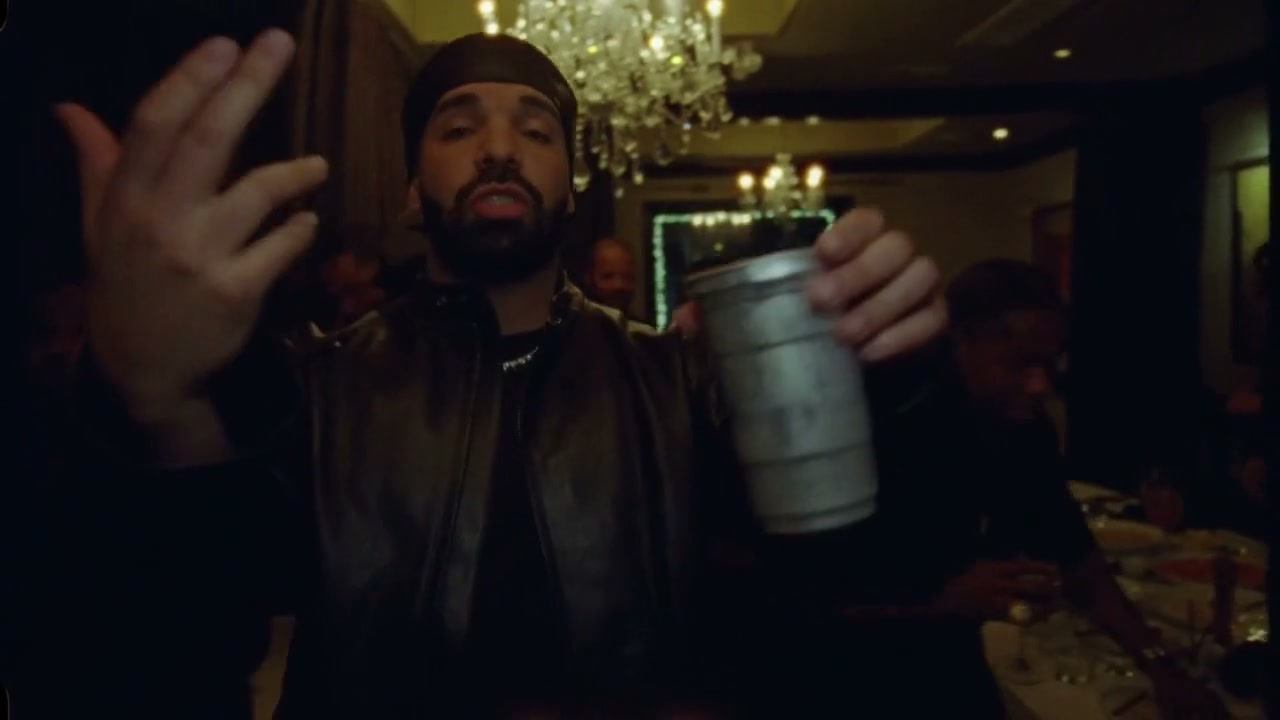
Right up to the lens
An open hand and a silver cup fill the foreground, with the chandelier glowing overhead.
Your face. Your music video.
Turn one photo into a 15-second MV with sound. Take the lead.
Your lead photo
01 / THE LEADOne clear photo. One lead.
One person. Face clear. Upper body visible.
JPG, PNG or WebP · up to 10 MB
Your generation
15 seconds · 480p · sound included · MP4
Use a photo you have permission to transform. No prompt or model selection needed.
Sign in when you’re ready to create.
Your 15-second MV
Turn on sound and watch the scene. Upload your photo to make a 15-second video starring you.
Put yourself at the center of the Burning Bridges AI party. Upload a portrait and turn it into a short music video: the crowded room, the silver cup, the close camera, and you taking the lead. The scene and soundtrack are built in. Bring the face your friends recognize; we handle the video.
The close camera, the silver cup, the crowded room. See the scene before you step into it.
An open hand and a silver cup fill the foreground, with the chandelier glowing overhead.
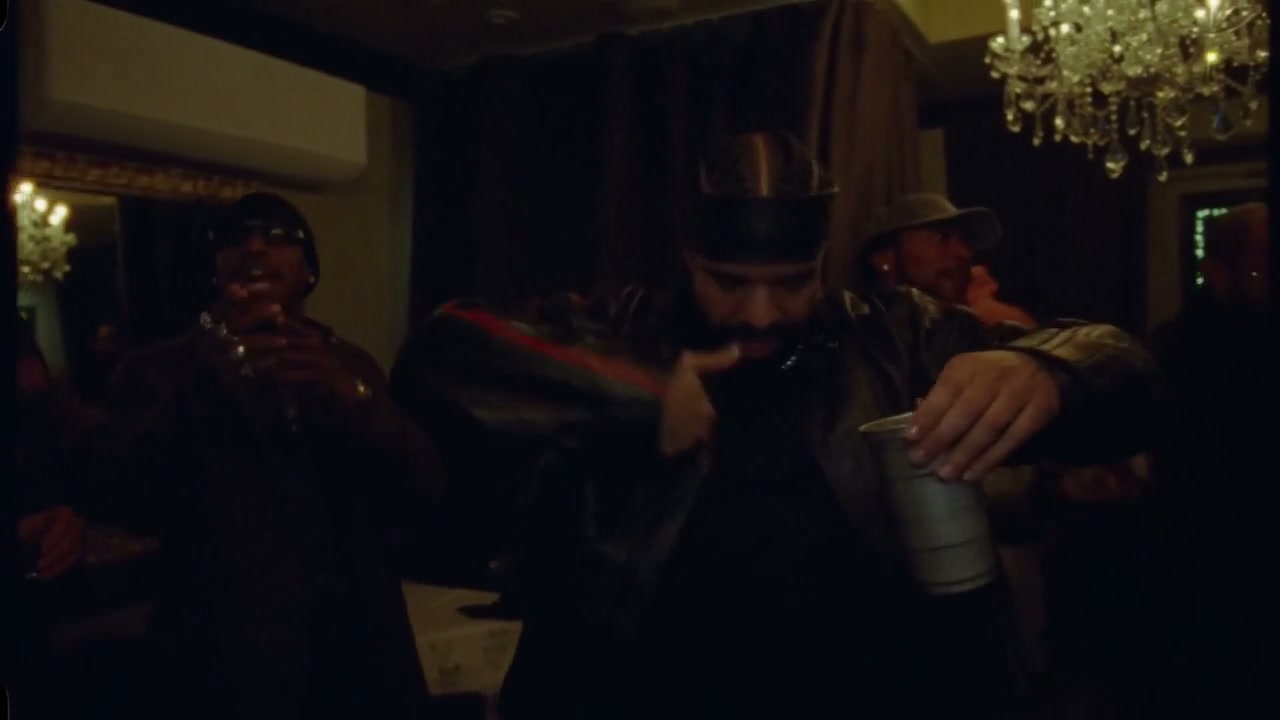
The performer leans forward and points toward his chest, holding the cup as the people behind him react.
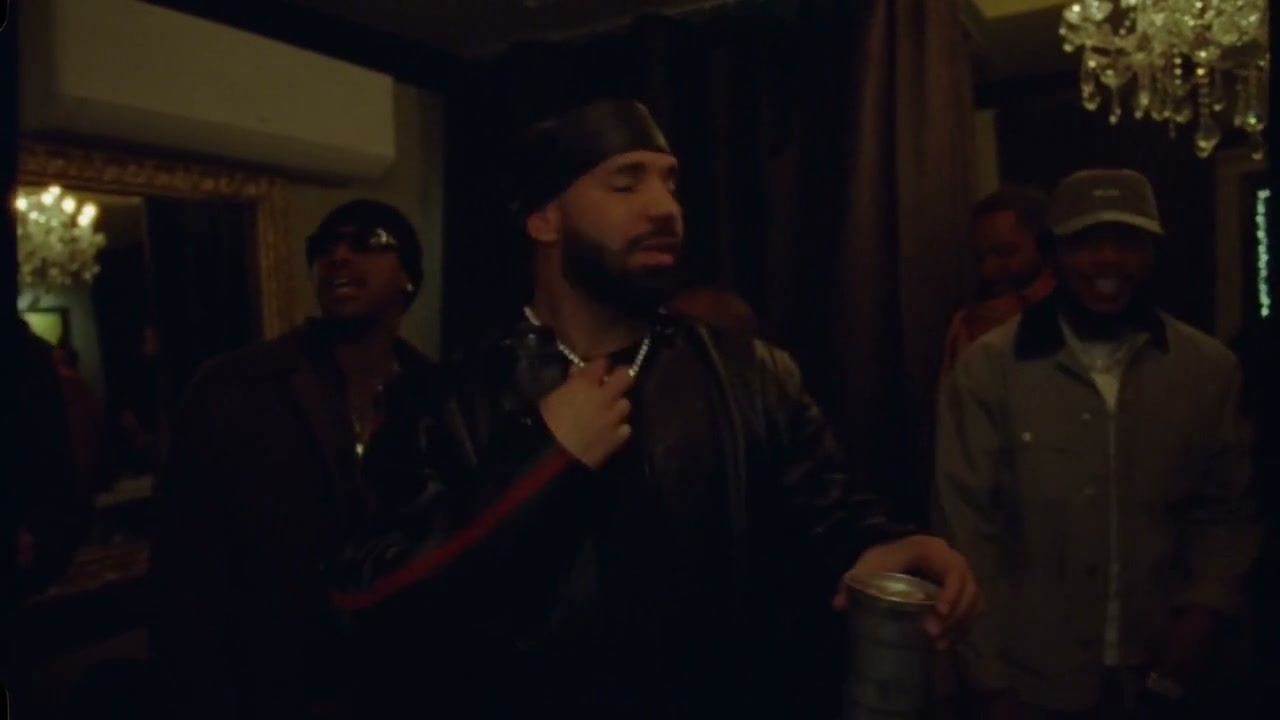
The performer turns with one hand at his collar and the cup at waist level, while the people around him remain in view.
A familiar performance. A different lead.
Burning Bridges AI turns the familiar rap party scene into a personal video. A portrait becomes the lead performer in a room full of people, warm chandelier light, and movement. The fun is seeing someone you know in that setting. A quiet friend becomes the center of attention. Your everyday selfie becomes something the group chat did not expect.
The Burning Bridges AI effect is more than a still face pasted over a picture. The character moves through the scene, brings the cup toward the lens, and performs while the camera moves closer. That combination of a recognizable person and a familiar performance makes Burning Bridges AI work. Choose a clear portrait so the face, hair, and overall look give the video its personal character.
Our Burning Bridges AI generator handles the setup for you. There is no clip to find, editing timeline to manage, or scene prompt to write. Upload one photo, check the credit cost, and create a 15-second video with sound. Your completed MP4 stays in your account for playback and download, ready for a private message or your next post.
The scene
The Burning Bridges AI scene brings together a close camera, a silver cup, and a crowded room under warm chandeliers. The background gives the performance its energy while your character takes the lead. Burning Bridges AI supplies the setting and movement, so you can focus on choosing who belongs in the spotlight.
Your look
Start your Burning Bridges AI video with a photo that feels unmistakably yours. A familiar hairstyle, favorite jacket, or relaxed expression makes the reveal more personal. Keep your face clear and your shoulders in the frame. Burning Bridges AI uses that portrait to guide the character, with details that can vary as the scene moves.
Sound included
Your Burning Bridges AI MP4 includes the soundtrack, so you can play the result with sound straight from your account. The music gives the gestures and camera movement their context. Watch the whole Burning Bridges AI clip before downloading, then add a caption if you want to make the joke land with a particular friend or group.
Your face in the frame
Your moment
Make a Burning Bridges AI clip with the photo everyone already knows. The contrast between an ordinary portrait and a confident performance makes the reveal. Send it to the group chat with a short caption, or save it for a birthday message. Burning Bridges AI gives the familiar face a different stage without asking you to film a routine.
A friend
Choose a friend who wants their own Burning Bridges AI moment. Pick a portrait together and let their usual expression or favorite outfit carry the joke. Each clip features one lead, so make separate videos if everyone wants a turn. Let your friend see their Burning Bridges AI result before you share it with a wider audience.
Your style
A bright jacket, a clean shirt, or an everyday hoodie gives your Burning Bridges AI character a different attitude. Use a photo that shows the look clearly without hiding your face. The best Burning Bridges AI idea is often the simplest: a person people recognize, an unexpected setting, and a caption that needs no explanation.
Choose a photo. Take the lead.
Pick one clear portrait for Burning Bridges AI and upload it in the generator above. Keep the face and upper body visible. You can check the selected photo before continuing, and selecting it does not start a paid generation. Choose the person and appearance you want to bring into the scene.
Sign in with Google to save your Burning Bridges AI videos in your account. A one-time $9.90 purchase gives you 1,000 credits, enough for one MV. Monthly and annual plans give you more credits to use across Burning Bridges AI videos, custom videos, and images. Check the selected plan and total before checkout.
Confirm your photo and the 1,000-credit cost to start Burning Bridges AI generation. The scene is already prepared, so you do not need a prompt or model settings. Follow the task status in your account. If you leave the page, return to Your videos to check the same task instead of starting another one.
Open your completed Burning Bridges AI video from Your videos and play it with sound. Download the 15-second, 480p MP4 to your device. The soundtrack is included in the file. Keep a copy of the result you like, then share it directly or add your own text in a video editor.
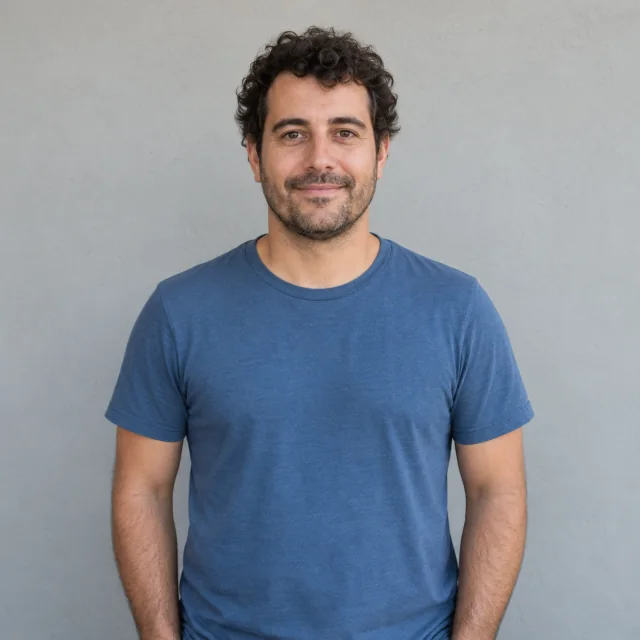 Face in focus
A good Burning Bridges AI video starts with a sharp face. Use a photo taken in even light, with your eyes, nose, and mouth easy to see. A normal phone portrait works. Face the camera and keep some space around your head; a tiny face in a distant landscape gives the model less detail to work with.
Room around the headGive Burning Bridges AI enough of your upper body to understand the look. Include your shoulders and the clothing you want to bring into the scene. A hoodie, shirt, or jacket can each change the mood. Simple shapes read well in motion, while small logos, intricate patterns, and jewelry may change in the generated video.
A single subjectChoose one person for each Burning Bridges AI video. If you start with a group photo, crop around the lead before uploading. Avoid sunglasses, hands over the face, deep shadows, and strong beauty filters. Use your own photo or one the person has agreed you can transform. JPG, PNG, and WebP files up to 10 MB are supported.
Photo guide illustration · fictional adult
Watch your Burning Bridges AI result in motion. Look at the overall resemblance, the expression, and the way the character carries the scene. A hand or cup passing across the face can change small details. AI results vary, so a clear starting photo helps the person stay recognizable through the performance.
For a different Burning Bridges AI take, choose a portrait with a cleaner view of the face or a stronger everyday look. You do not need a studio photo or an exaggerated pose. Burning Bridges AI supplies the action; your photo gives it the person. Review the complete video before deciding how you want to share it.
Your Burning Bridges AI video downloads as a landscape MP4 with sound. The wide frame keeps the lead, the cup, and the people around them visible. Send it as it is in a message, or place it on a vertical canvas for a Story or Reel. Keep text away from the face and hands so the performance stays easy to follow.
A short caption is enough to introduce your Burning Bridges AI moment. Use an inside joke, a birthday line, or a simple reveal. Save the full video before making edits so you can return to it later. When posting Burning Bridges AI, use the publishing app’s AI disclosure tools and review its music options for your intended post.
One account. More ways to create.
Make your MV, try a custom video, or turn a prompt into an image. All three use one credit balance.
Your photo. The lead role.
Put your photo into the party performance. The scene, movement, and soundtrack are prepared. Bring one portrait and create your own Burning Bridges AI moment.
15 seconds · 480p · Sound included
Create your MVA scene from your imagination
Describe a scene in AI Studio and turn your idea into a short video. Your Burning Bridges AI credits work here too, with the cost shown before you generate.
5 seconds · 480p
Open AI StudioMake the picture in your head
Choose Images in AI Studio, describe what you want, and create a picture from your prompt. Use the same Burning Bridges AI balance for portraits, scenes, and visual ideas.
1K image
Open AI StudioBurning Bridges AI is an independent photo-to-video service for the "Where She At" party-video trend. Upload one portrait to put your character in a prepared party scene. The result is a 15-second, 480p landscape MP4 with the original soundtrack included. This service is not an official artist product.
Burning Bridges AI does not offer free generation or a free personalized sample video. You can watch the existing examples before purchasing. Starter is a one-time $9.90 USD purchase for 1,000 credits, enough for one MV. Selecting a photo does not charge credits; generation starts only after you confirm the photo and cost.
One Burning Bridges AI MV uses 1,000 credits. Starter is a one-time $9.90 purchase for 1,000 credits. Monthly is $29.90 for 3,500 credits each paid month, and annual is $299 for 42,000 credits delivered together each paid year. Subscriptions renew automatically until cancelled. Paid, unused credits remain available after cancellation, and the same balance works across all three creation tools.
You get one 15-second, 480p Burning Bridges AI video in landscape MP4 format, with sound included. Your uploaded portrait guides the lead character in the prepared MV scene. Watch and download the completed result from your account. You do not need to upload a video, record yourself performing, or write a scene prompt.
Burning Bridges AI generates a landscape video, not a native 9:16 vertical video. Download the 15-second, 480p MP4 with sound, then place it on a vertical canvas in a video editor for a Story or Reel. The wide frame keeps the lead performer and surrounding party scene visible.
Yes. Burning Bridges AI videos include the soundtrack in the downloaded MP4. Turn on sound in the player to hear the scene before you create. Your finished clip can play with audio directly from your account or device; you do not need to combine a separate audio file with the video.
Yes. Your Burning Bridges AI balance also works in AI Studio. A custom 5-second, 480p video costs 300 credits, and a 1K image costs 15 credits. Starter can fund 1 MV OR 3 custom videos OR 66 images. These are alternative uses of the same 1,000 credits; mixing creations reduces the balance available for the next one.
Use one clear adult portrait with the face and shoulders visible, even lighting, and no objects covering the eyes or mouth. Burning Bridges AI accepts JPG, PNG, and WebP files up to 10 MB. A familiar, everyday photo is a useful starting point. Crop group photos to the person who will take the lead.
The current Burning Bridges AI generator uses one lead photo per video. Choose the person you want at the center of the scene. To give several friends their own moment, create a separate clip for each person using photos they have agreed to share. Each MV uses its own 1,000 credits.
Burning Bridges AI uses your portrait to guide the character, but generated faces, clothing, hands, and background details can vary during movement. Use a sharp photo and check the full result. An exact likeness or perfectly matched gesture is not guaranteed. The examples show the scene and the kind of result to expect.
If a Burning Bridges AI task fails, the credits reserved for that task are returned to your balance. A queued or processing task is still running, so check Your videos before submitting again. Credit returns and payment refunds are separate: use our Contact page for help with a purchase or a task that needs review.
Sign in with the same Google account and open Your videos. Completed Burning Bridges AI clips appear in your private history with playback and download controls. Your account also keeps task progress while generation runs. Download files you want to keep so you have a local copy ready to edit or share.
Your Burning Bridges AI inputs and saved results are private account assets and are not automatically published. When you submit a generation, your photo is sent to a third-party generation provider for processing. Use the Contact form to request access, correction, or deletion. Account ownership may need verification, and necessary payment or security records may be retained. No automatic deletion deadline is promised.
Put yourself in the frame
You bring the photo. Burning Bridges AI brings it into the party. Choose a face your friends know, create a 15-second video with sound, and take the result wherever the conversation is happening. Your next Burning Bridges AI moment starts with one portrait.
Create your video